 Free Mac cleaner & disk space analyzer
Mac storage full?
Get your space back.
OneClean shows you what's taking up space, groups what can be cleaned, and never removes anything without asking you first.
No account · No ads · No subscription · macOS 14 Sonoma or later
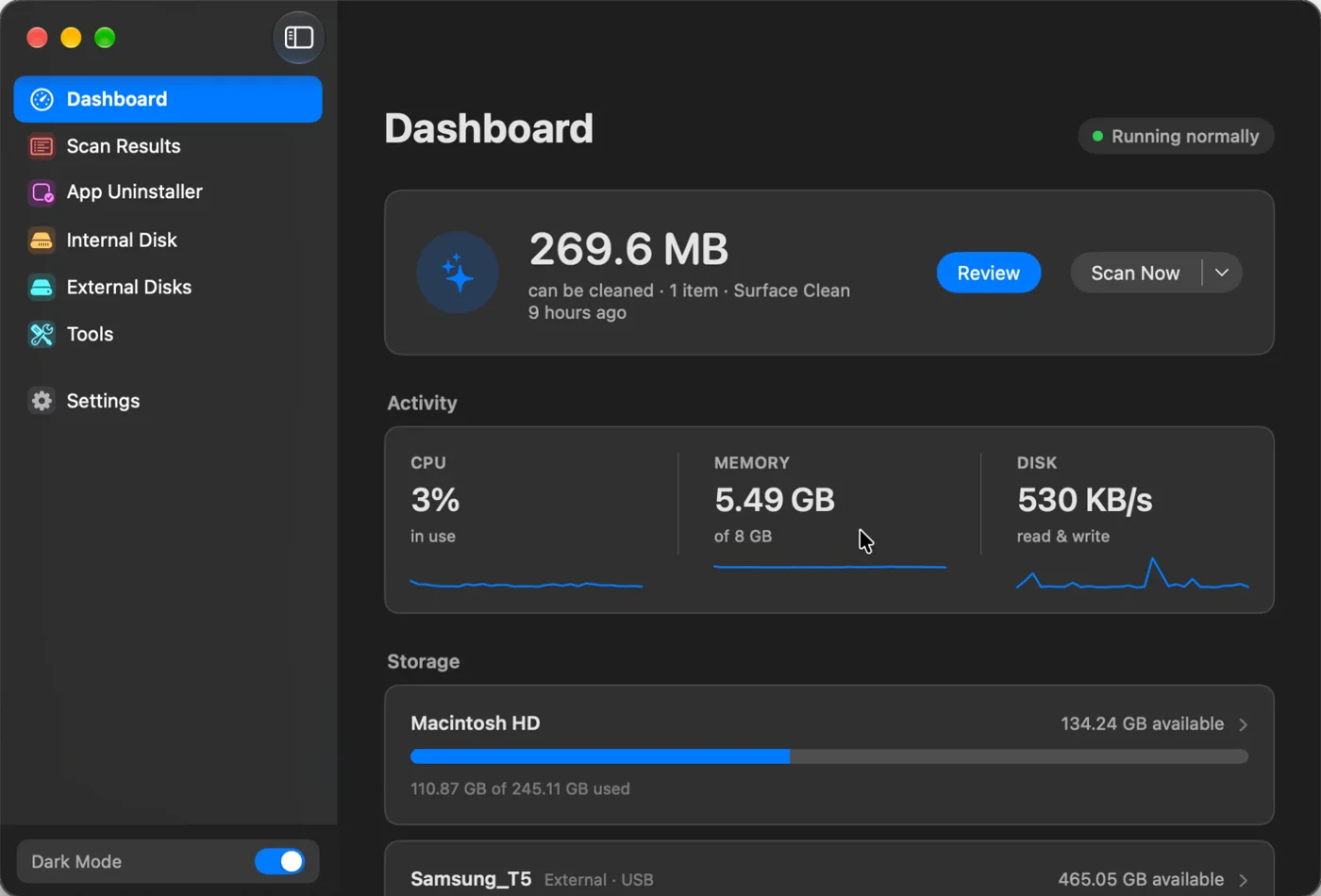
Dashboard
Running normallyThe app sends nothing: no files, no scan results, no usage data. No account needed.
Removed items go to the Bin by default, so anything you change your mind about can come back.
Surface Clean or Deep Clean, whenever you choose. Nothing runs or removes files on its own.
Every feature is free. No trial, no subscription, no ads, no upsells.
Seven views. One window.
A disk space analyzer, cleaner and app uninstaller in one Mac app. Click a view to look around.
Your Mac, at a glance.
Open OneClean and see how much can be cleaned, what your Mac is doing right now, and how full each disk is.
- Live CPU, memory and disk activity
- Storage for your Mac and connected external disks
- Review what can be cleaned, or start a new scan
Three steps. Nothing disappears by surprise.
Start a Surface Clean for app caches, logs and temporary files, or a Deep Clean for large files, duplicates and system caches too.
Everything found is grouped by category with its size. Open a group to see exactly what’s in it, and untick anything you want to keep.
Click Clean and confirm. Removed items go to the Bin by default, not into thin air.
Removed items go to the Bin by default. Open the Bin, select what you want back, and choose Put Back. Only emptying the Bin deletes for good.
How OneClean stacks up against paid apps.
Each is a good app at what it does. Here's where OneClean matches them, and where it doesn't yet.
| Feature | OneClean | CleanMyMac | DaisyDisk | App Cleaner & Uninstaller |
|---|---|---|---|---|
| Price (1 Mac) | Free | $39.95 / year | $9.99 once | $14.95 / year |
| Clean caches, logs and temporary files | Yes | Yes | — | — |
| Find large files | Yes | Yes | Yes | — |
| Find duplicate files | Yes | Yes | — | — |
| See what uses space, including external disks | Yes | Yes | Yes | — |
| Uninstall apps with their related files | Yes | Yes | — | Yes |
| Malware scanning | — | Yes | — | — |
| Notarized by Apple | Not yet | Yes | Yes | Yes |
Prices are list prices for one Mac in US dollars, checked October 2026. Features are compared on what each developer documents. CleanMyMac, DaisyDisk and App Cleaner & Uninstaller are trademarks of their owners. OneClean isn't affiliated with them.
Completely free. Every feature.
No trial, no subscription, no ads.
Questions, answered.
No. Scan results are grouped for you to review, and every removal is confirmed before it happens. By default, removed items go to the Bin.